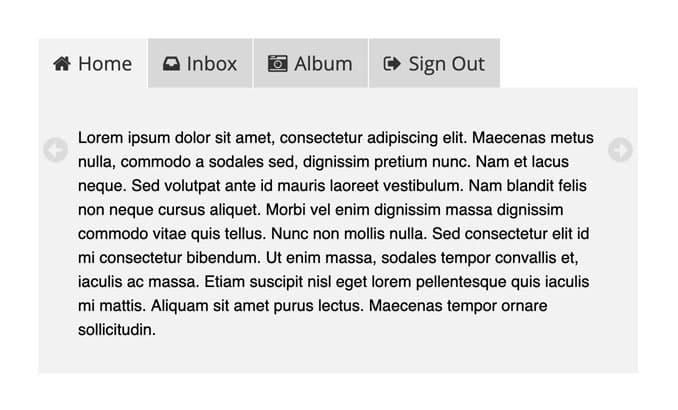
UPDATE: (Oct. 26th, 2009): I’ve just released a new version of Coda-Slider. Check out the details here. The original version referred to in this post remains available for download.
So I finally found time to add a much-requested feature to Coda-Slider: Different classes for each tab. Now you can target individual tabs and give each one a different look. In the new demo, you’ll see that I just used different background colors to illustrate this feature, but of course you can use images if you like.As this is just a minor addition, I’m calling the updated version “Coda-Slider 1.1.1″. Makes sense to me.
Apologies again that I haven’t been able to respond to all your comments and emails regarding Coda-Slider. I hope you understand that it’s just something I put together for fun and experience, and it’s difficult to spend time maintaining it when I have paying jobs on offer.
Also, please keep sending me your own implementations of Coda-Slider. I will get a showcase together eventually, promise.
Update – August 13, 2008
Thanks to everyone who has expressed interest in Coda-Slider. I noticed some new sites linking here in recent weeks, and I just wanted to give an update on the status of this script.
I am not willing to provide any additional functionality to Coda-Slider at this time. Thank you to those people who have contacted me and offered payment for specific alterations, but I have other projects I prefer to focus on. I also apologize for not being able to respond to all the comments here. I leave them open so everyone may help each other. Thanks to those good people who take the time to share solutions.Here are some more resources that may help those of you who run into difficulty with Coda-Slider:
- Instructions and How-To’s – This older blog post I wrote about Coda-Slider has tips that are still relevant and may help solve some common problems.
- Nettuts.com – Tutorial on implementing Coda-Slider
- Coda Slider Effect – An alternative jQuery script that provides similar functionality.
- jQuery.com – jQuery is easy to learn, and anyone with a decent knowledge of CSS should pick it up quite quickly. Dive into the documentation and you’ll soon be able to add all kinds of bells and whistles to Coda-Slider.
Good luck everyone.
Kewl
Very nice.
I might suggest speeding up the transition, removing effect caching, and making sure that the anchor tags return false when their click/release handler is called.
Great update!
I might suggest be able to show the tabs under slide div.
and,does ver1.1.1 enable to it by changing some code?
But the 10% of my users with javascript will not be able to see my content.
Is there a way to have the cross-links show as if they are active
like a different effect
I am trying to do something similar to apple
http://www.apple.com/imac
under the “why you’ll love imac” section
where there are 4 dots, to show progress
ie. page 1, page 2, page 3, page 4
under the why you will love imac sections
Thanks
Chad
Me and my co-worker have been stripping the excess code from Panics site to get this feature. And I spent all week dressing it up. I’m just happy someone is offering the code cause now I’m going to swap it out for yours. Thanks!
very interesting, but I don’t agree with you
Idetrorce
thats great. But ı just want to know How can I run a php code for example in wordpress the latest comments tag. is it possible? Can I put the code directly into a div?
@Chad MacDonald Says
Would love to see an updated version of the coda-slider, like in the love imac category. But the only difference is the repeating (carrousel) function, instead of switching back through all categorys to start at the beginning.
Would be great if you could break silence and reply to my email … that I just sent …
Well… terrific! Thanks to share valuable things like this!
Regards
Hi there,
This is really great. I ran into a problem though. I am using the jquery ui tabs in conjunction with coda slider, and for some reason the coda slider only works on the first tab.
Here’s the demo:
http://www.cpmv2.com/test2/
If anyone has any suggestions I would really appreciate it.
off left technique instead of display:none for the css on the sliders solved it. Thanks Klaus.
@ John,
I assume you mean users without javascript … and yes, they can see the content, it just a bunch of divs to them. Turn off javascript and see.
Seriously, if we could get the cross links to show what is current, like the tabs, this will be perfect.
Again, like http://www.apple.com/imac showing the dots as progress…
Thanks
Chad
@Chad,
On the Apple website, actually the dots are images itself!! I did a similar implementation around two-three months back at:
http://www.advancewith.us/carousel
http://www.advancewith.us/kirlian-photography/gallery.html
You can also see this implementation for my modifications:
http://www.advancewith.us/TripleAceVideo
Thanks,
Dhaval
i hope someone can help me out.
what i did is to load ajax contents (multimedia and other kind of contents) to the “panelContainer” div, which was “kind of” successful.
the questions are
1) how to reset the current navigation tab to 1 every time the ajax content loaded? currently, i.e. if previous selected “tab3″, when i load new content, the current navigation tab will be forced to “tab3″.
2) i tried to use jquery media plugin with this slider plugin, but, the “overflow:hidden” wont work. all the video files are lined up horizontally. anyone has similar experience?
thanks.
Hi…
Very nice, but just a minor graphical bug – On panel 4 you can see the youtube flash out on right side
You can see the error at http://aarhof.eu/clientside/youtubeerror.jpg
Firefox 2.0.0.11
Windows XP
as to my questions above. question 1 is solved by assigning different slider an unique id. ( this may not be the best way to solve it. )
just want to share with you guys.
thanks.
Hey all. I’m an ant amongst giants here – as I know just enough css and javascript to copy something and make it work
– but I have a question on the coda slider that I’m just stumped on. I can’t figure out how to get the slider window to _not_ center in the browser window. I’ve tried changing all of the “center”s to “left”s, but, no such luck. Is there a way to make the entire slider default to the left side of the browser window (or at least inside a table cell)?
Thanks!
Ken
Hello.
Very nice script. Just a question : Is it possible to have a vertical slide ?
Thank’s. Kaimite.
I have flash embedded in an iframe in one of the pages. When I scroll to the next page it floats outside the content area of the slider. Is there a way around this?
Thanks
Hi Niall,
I’d like to use this on a commercial site — is that okay?
Also, is there a “suggested donation” for use on a commercial site?
Thanks!
Hey Krystyn. Feel free to use this anywhere you like. It’s free to all. Just put it to good use
I won’t a suggest an amount to donate, because I appreciate any donation, no matter how small. Whatever you think is a fair will be fantastic.
Loving the colour scheme on your blog, by the way.
Very nice. One option I would like to see, but it’s probably not possible (if I understand what’s going on here) is to disable the left arrow if you are on panel 1 and the right arrow on the last panel.
Hi.
Love the script. But, is there a way to disable the auto generated tabs?
I know it’s somewhere in the JS but haven’t a clue as to how its generated.
I would like to have several other slider divs that are linked from within the first few slider divs but don’t want them to show up in the tabs.
Cheers.
Hello, I am using this code for my site.. I am using drupal, but what happens is that 1 tab is on top of all the other tabs, it looks weird.
Hey, does any know if you can edit it so the tabs change like every 10 seconds? I’m using it for a magazine website with what’s in this issue in the tabs but would be good if there could change by them self.
Thanks
Ben
unfortunately the 1.1.1 slider seems to fail miserably on Opera 9.25 (latest version) — you get all the columns at once (tall and thin) and pressing any of the panel buttons besides #1 makes all the content vanish!
What’s Opera?
Great work! I love this slider. It make such a great visual presentation!
One question: Is there any way to make the window have a dynamic height? Thanks!
Nick
I love this!
Is it possible to put multiple slider on
one page?????
Thanks!
Yes I have the same question as “Ko”
In a page is it possible to embed one or more slider?
Hi I tried your newest version with application/xhtml+xml mimeType since I want my source code to be valid Xhtml 1.1 but firebug returns the following error:
An invalid or illegal string was specified” code: “12
I might do some digging. If I find anything, I will let you know. But just so you know your script does not validate against Xhtml 1.1 completely.
Great script! I’m also trying to get it to scroll vertically. Can you show me how?
It is very cooland nice. I want to know how the contents in the panels could be scrolled down in case the content is more.
thanks
like another poster, was considering re-creating from panic’s site. very excited about your alternative. many thanks!
e
Hi,
How I do to disable Top tabs ?
And leaving only the cross-links?
Tnks
Great, great plugin.
I’m currently updating my website and will be using this a few times.
Might I ask, are you able to have multiple sliders on one page, only having different heights to the ‘.stripviewer’?
I’ve made a few changes to the CSS to separate most prefs, but having difficulty trying 2 sliders, different heights.
Many thanks, this is an amazing jQuery plugin.
James
Nice work & may the forces be with you
Thank you for this slider. Does anyone knows how to get ride of auto generated link ie Panel 1 , Panel2 etc which sits at the top of the slider.
Regards
Hi, this is really great script, but i have a question. I know it was once here, but i couldn’t find the answer. Is there a possibility of change same-page cross-links class? To differ which one is active?
Thanks for replying.
i’m sorry for replying so soon, i found the solution. actually it was easy but i was changing another file, therefor i haven’t seen any changes
my fault…
and if any one wanted:
[code]
jQuery("a.cross-link").click(function(){
jQuery(this).parents().find(".stripNav ul li a:eq(" + (parseInt(jQuery(this).attr("href").slice(1)) - 1) + ")").trigger('click');
jQuery(this).addClass("current").parent().parent().find("a").not(jQuery(this)).removeClass("current"); // wow!
});
[/code]
Hi, does anyone know if it’s at all possible to insert coda-slider into an existing div with a background image (for slide show purposes)? All i can find examples of are not placed inside of a div but rather the body.
I am using the slider on http://theembassyofgod.com/new/
but the loader div is not hidding the content layers/panels… i have made the loader height quite high, to force the panels off the page… but thats not a great solution. Any ideas?
I have had to adjust the z-index, to make sure the panel was under the menu…
Any ideas? Take a look… http://theembassyofgod.com/new/
How do I remove top tabs?
I dont know how it to integrate to my Datalife Engine
. Path not understanded my DLE. Please help me, how integrate it to DLE?
((
)
P.S. I m from Russia, and maybe my English not good
please guys, answer me on sanka_s@mail.ru
This script is great, didn’t take me long to use.
Only one small issue, all my button are images, I got the rollovers working using a:hover but can’t get the active state using a:current.
Is there a way to do this?
Cheers
Hey Neil,
Check this one out:
http://advancewith.us/TripleAceVideo
Hope that’ll help
Cheers,
Dhaval
Hey, I’ve used a hacked coda-slider on the front page of our website – http://lawbore.net. Thanks for a very useful bit of code!
hello — thanks for this… but how can i remove the tabs? i just want to use the arrows and am having a hard time removing the panel titles / tabs.
Courtney,
Try adding this to the css file:
.stripNav {display:none !important}
does that do the trick?
I wonder if you can answer a small question. I noticed that the links that trigger the slide are set in anchor tags with the class “cross-link”. I am needing my triggers to be DIV tags with onclick usage. Is it possible to pull that off?
Hello! I did get this to work as I wanted it to, so thanks for the help. However, one thing I’m having trouble with is that I have some CSS dropovers from my site’s left navigation — and instead of showing up over the slider, they show up behind it in IE 6 and 7.
I tried setting my navigation dropover with a higher z-index and setting the slider styles at z-index = 1, but that didn’t do anything.
Do you have any ideas?
Thanks, Courtney
Great script.
Is there any way to scroll the panels automatically; say, skipping to the next panel every 5 seconds?
I noticed a bug in firefox 3 when you add another tab it goes onto the tab links goes onto the next line. Works fine in Safari.
I’m currently trying to modify your Coda-Slider so that the slider will automatically cycle through the pannels lets say, every 7 seconds. Also trying to have it so that if a panel is cross-linking to have the slider NOT automatically change. My Javascript is a bit rusty so any help would be GREATLY appreciated.
Hi,
I think it’s a great script! But i want to use it with the width 100%, but i can’t get it to work. When i change the width to 100% the slides print under each other. Do u know how to make this work?
Thanks!
Front-ender: I don’t think you can use it with a relative (percentage) width. The whole mechanics of the slider work by having fixed-width panes alongside and a fixed-width viewing window onto them.
How would you go about auto figuring the height of each panel and adjusting the viewing window up or down when each panel is displayed? Some of my panels contain more content than others and I’d like my footer to move up or down in relation to the height of the current panel.
Steve – great idea. You could use the jquery dimensions plugin to get the height of each of the panel divs and then use the animate function to shrink and expand the viewing window / wrapper at the same time as the panel slides. Shouldn’t be too tricky.
Howard – the dimensions plugin docs are not exactly clear on how to go about finding the height and using it. Any pointers or know of any better documentation to the plugin? My slider has 9 different panels to it. How do I pull the current panel’s height and apply it (plus padding and/or margin) to the .stripviewer height?
Steve: off the top of my head, I’d do something like this (untested)…
Find the panel parent of the link of the class a.current. This is your current panel. Get the height of it simply by calling the height function like:
var the_height = $(panel_div).height ()
and then assign it to the viewing window like
$(’.stripviewer’).height(the_height)
This would have to happen at the same time the switch of panels occurs, so you’d need to bind it to that event click or the function that does the panel sliding in the original jquery code.
Do you see what I mean?
Can anyone tell me how to go about doing more in the navigation tabs? I’d really like 2 individually styled elements in each tab — an and a . Is this easily done? Can someone help?
I am pretty much a javascript newbie
Looks like part of my message was filtered.
I’d really like 2 individually styled elements in each navigation tab — an H2 and a paragraph.
This thing needs a forum (besides these comments). I have so many questions, and I love to see more example of this in action. I’ve use this on a site but it’s not doing what i’d like it to do. I’m not asking it to do a lot, and most of my questions are probably more CSS related. What I am facing:
- Moving those tabs off the top and styling them (I currently have them turned off and moved the crosslinks around to use them as nav, but I can’t get them to stle in a ‘current’ state like the tabs do
- Getting flash elements to not go over the top when they roll out to the next pane (strangly enough this is mostly a Firefox only problem for me
- Having the slider sit where I want it to, in a larger div, with all of my nav, header, etc where it should be.
you can see an example of what I’m working with here: http:www.theknowbar.com
-
I’m sorry I can’t answer everybody’s comments. Really, I am. I’m just too busy with other projects to play around with Coda-Slider and find solutions to all these issues.
That said, I do believe the issue of Flash movies appearing outside the slider can be solved by using <param name=”wmode” value=”transparent”></param> just before you close the object tag.
Try googling “valid xhtml flash embed wmode” or something like that. Should do the trick.
Good luck.
Actually, I covered a lot of these issues (including the Flash one) in a previous post. Sorry I didn’t have it easier to find on here:
http://www.ndoherty.com/blog/2007/10/29/coda-slider-11
Great plugin, but does anybody know how to set it so that the slides transition automatically?
Hello everyone! Thanks Niall for the great script. I have it working perfectly on a website that uses the LavaLamp JS menu (http://www.gmarwaha.com/blog/?p=7) as the tabs. Looks and works great!
I am however having one nagging issue, likely due to my last of CSS skillz. Anyone have any recommendations on auto-adjusting the height based on the size of the content in each LI Coda-Slider uses? I have some pretty long content within each tab, while some have nearly nothing. As you can imagine, the ones with nothing still have an enormous amount of extra space since the other LI’s have a much greater height. I could use overflow but the scrollbars in the page annoy me and look horrible…
Seeing as everyone has been asking for a fix to make the height follow each panel’s content individually, I thought I might as well write it. Pretty useful for me too
Get my hacked version of the coda slider code at:
http://lawbore.net/js/jquery/coda-slider.1.1.1.js
You can see it in action on the front page of http://lawbore.net – I don’t use the left/right nav, but it should all work fine still.
(nb: I haven’t tested it yet with multiple sliders on one page.)
Nick: Maybe for the next version you could include this extra functionality and have it configurable on/off?!
Enjoy!
Howard
PS. I said “Nick” above, but I meant Niall the writer of the coda-slider!
Very cool Howard. The implementation on your site looks great. Thanks for sharing…
I am seeing a bug in IE7 (occurs in the 1.1.1 demo) when resizing the browser window.
If you resize the browser (IE7), the slider does not stay centered in the page. Its not easy to notice since the background of the slider and page are similar. Take a look at the black border of the slider. Initially, its centered correctly on the page. But if you resize the browser, you will notice that the slider stays the same distance from the left and will no longer be centered correctly – until the browser is refreshed.
Works in FF and IE6 fine though.
Any one have any thoughts on how to fix this?
Great slider, thanks!
Anybody figure out a trick to get multiple sliders working on one page?
Once I have more than two sliders on a page the cross-linking goes wacko
Got started here: http://teef.org/test/
I’m no javascripter, just able to hack. Please help!
First off thanks a bunch for this slider. It works super!
I’m trying to integrate this slider in a project I’m working on. My challenge is getting the slider to move from whitin a flash movie.
Does anyone know how to call the slider script from a javascript function, so I can call this function from the flash movie? Or does anyone know another genius way to do this?
Thanks in advance!
@ Judo; If you recall with this slider you have the ability to link to a slider externally using the “#sliderNumber”. You’ll just have to call the url from inside Flash.
– AS 2.0 –
buttonInstanceName.onRelease = function() {
getURL(”http://www.somesite.com/sliderPage/#sliderNumber”);
}
Make sure you have the url pointing to the same page as the slider (and as the flash I’m assuming)
– AS 3.0 –
var myURLRequest:URLRequest = new URLRequest(”http://www.somesite.com/sliderPage/#sliderNumber”);
buttonInstanceName.addEventListener(MouseEvent.CLICK, sliderChange);
function sliderChange (event:Event):void {
navigateToURL(myURLRequest, “_self”);
}
*God I’m starting to hate AS 3.0*
I think that should work for you. If not, let me know.
Wow… I messed up on that one.
Sorry about that.
Wow… I messed up on that last one. That was me.
Sorry about that.
Thanks for your quick reply Scott!
The problem with this site is that it is not supposed to reload, which happens in IE when I use the method you suggested. Even more strange is the fact that when I try this in firefox, nothing even happens. (Do I love the way different browsers use different interpretations of standards).
Anyway, I’m looking for a way to call the jquery or coda script directly through javascript, so the slider will slide to the chosen slide. (that’s a lot of slide in one sentence), but I have no luck trying to make sense of the code that makes that happen for, for instance, the cross links or the tabs.
Thanks again for your interest in my problem.
Very nice script!!
But how to make it auto rotate? e.g go to the next panel every 5 seconds automatically.
Thanks
Fantastic script! Thank you!
Is there a way to get the script to load a particular panel first (OTHER than panel 1, of course).
For example, if I had panels 1-4 on a page, but wanted Panel 4 to display when someone first visits the page.
Thanks for any assistance!
Hi,
Am not the best when it comes to css and javascript but am having problems resizing the content window. I’d like the window to be a bit larger as my content wont fit inside it. every effort that i have made will end up in panels showing horizontally accross the page.
Thanks for your help
Mr Mike: loading the page with #4 at the end of the URL will do that for you
Festim: got an URL for that?
Howard thanks for your quick interest, unfortunately am testing locally but I managed to sort out the problem, even though it took me a good few hours.
I have one more question though, you posted the Javascript file for the automatic height but somehow that aint working for me. Any suggestions?
Thanks again
Festim
Festim: Almost impossible to debug without seeing it I’m afraid. Check that you’re actually referencing my Javascript and not a different version. Possibly changes you’ve made to the HTML/CSS are making the height switch no longer work. I could say, if I could see it.
Hi Howard,
I have uploaded the files at this address: http://studenti.ztudenti.com/
Please have a look around and let me know what I have done wrong.
Thanks a lot
Festim
Looks to me like you’re still using the original packed version of the javascript in the SCRIPT tag. Replace coda-slider.1.1.1.pack.js with a copy the version of coda slider I linked to. Unless you repacked my version ??
Does anyone have a fix for the IE7 bug – where if you resize the browser window, the slider panel does not recenter to the page (Greg Marshall comment above details the problem). I am having the same issue.
In the demo, if you resize the window in IE7 (make the width larger), you will notice that the slider will not recenter to the page – but rather stays the same distance relative to the left side of the browser before the window resize takes places. Its not as noticable with the demo due to the colors but you can see if you look where the slider (white) gets positioned relative to the background (gray).
Ah thank you very much, earlier I just replaced the contents of the Javascript file, because I thought its been linked already but it wasnt.
Thank you very much for your help.
Festim
I just wanted to say thank you to Howard Richardson for sharing the modified codaslider.js file! You are a lifesaver!!!! THANK YOU!
And of course, a big thank you to Mr Doherty!
Is there any way to make it so that the arrow on the left and right would slide in a circular motion instead of sliding backwards to the first tab?
The “wmode” flash fix doesn’t work for Firefox. I tried it, and it appears the same as it does when I didn’t have that added. It looks right in Safari, but yes.. still juts out of the container when a flash object slides thru.
http://adxcreative.com/projectHub/thebluffhomes/
I do remember there being some sort of fix for something like this… i think it had to fade out the flash object using DOM scripting. I can’t remember, for the life of me, where I saw or used that effect. It must have been a year ago or so.
If anyone has a ‘real’ fix for this, that’d be great. Thanks.
http://www.balupton.com/sandbox/jquery_lightbox/jquery_lightbox/js/jquery.lightbox.js
find this part…. i’m not the greatest at javascript, but if this were used to shut off any flash objects when the motion starts, then reset when the motion stops, i think it could fix the problem.
start: function ( )
{ // Display the lightbox
// Fix attention seekers
$(’embed, object, select’).css(’visibility’, ‘hidden’);//.hide();
Is there a way to make it slide up/down rather and left/right?
Thanks for this, works great, but I do have something I am trying to solve and maybe you have a hint for me.
I would like to have a form on the first tab and on submitting the tab I would like to switch to tab 2 and also refresh the content of tab 2 without reloading the complete page.
Also I would like when clicking on a link on tab 2, to switch back to tab 1 and pass some values to that tab to fill in some fields of the form.
here’s one i have yet to see….
Problem 1: i can’t get the overflow to work on the .panel class. If you have enough content that it requires some scrolling , it doesn’t work.
Problem 2: when i DO apply the overflow to ANY class near, on, or around the content panels, the js gets funky and shakes when going from panel to panel.
Any ideas?
Eric… got a demo link for that?
ok… so i realized that the shaking issue is an FF problem… weird that’s its just FF.
I put the overflow on the .wrapper tag… still no scrolling.
http://www.ericdmunoz.com/coda/
Ow, that’s nasty! On linux FF it doesn’t only shake, it screws up the whole window redraw.
Have you tried removing height:100% from the .panel class? I have a suspicion that would help.
Cheers,
Howard.
hmm…. no go… sad… any other ideas?
Well you might try using my dynamic-height version of the script (posted earlier on this board). You wouldn’t get scrollbars, but at least it wouldn’t screw up so bad and all your text would be visible.
howard… i’m finding some stuff on it, but not a plugin or any script… could you point me in a more specific direction amidst 100 comments?
Thanks,
Eric
Try:
http://lawbore.net/js/jquery/coda-slider.1.1.1.js
hi
i like this tab but i have a small problem when i save the file as (asp) file
the tab dosn’t work when i click it open an empty page
what should i do to make it work
please help me
I get the same problem as Eric was/is having in Firefox. Is there a fix for this?
Hello,
I would like to have two extra sliding arrows (» and «) next to the stripNav. Right now they are next to the panel slider.
Is there a quick way to clone the arrows?
Greetings
Hello
can someone help me
i use the slider in the left of my web page but i can’t but any thing in right
of the slider how can i do this????
becouse when i insert a pic on the right all the slider come down
I too have the same “shaking” issue as Eric and Kevin. It seems to only have this problem on Firefox 2.0.x as 3.0 seems to be working fine. Check out my problem here:
http://www.nguyenware.com/wedding/story.htm
Other than that it’s a beautiful script. I also tried Howard’s script and it doesn’t look to be helping… Any ideas?
Thanks!
Hi, (Help!)
I have added my own images to the navTab and it shows correctly, but now I have two issues:
1. I still have the tab “text” showing over my nav images (Panel 1, Panel 2, etc.). How can I turn the text off so only the nav image shows? (priority over issue #2)
2. For the life of me I can’t make the “current” tab show the right image. Current state shows the “current” image. Hover state shows the “hover” image. Active state shows the “current” image.
Here is a brief example:
.stripNav li.tab1 a { background-image:url(”images/nav_orlando.gif”); width:80px; height:54px;}
.stripNav li.tab1 a:hover { background-image:url(”images/nav_orlando-hover.gif”); width:80px; height:54px;}
.stripNav li.tab1 a:current { background-image:url(”images/nav_orlando-active.gif”); width:80px; height:54px;}
Any help will be GREATLY appreciated.
Thanks in advance.
Josh
@Josh,
I have the answers to what you need to do, but you’ll need to know a bit of JQuery and CSS to fix them. I don’t have the time to do it for you, unfortunately.
1. You’ll need to edit the JQuery code. The names get written into the tabs by the JQuery at start-up. They’re taken from the title property of the panel div. You’ll need to make the code write an empty string instead.
2. You’re doing this wrongly. “current” is a regular class which gets added and removed on-the-fly, not a state like “hover” or “visited”, which is how you’ve written it with the colon.
Hi Howard,
Thanks for your respond. I fixed the “:current” issue I had (.current) Missed that one at first.
I’m new at JQuery, any guidance about how to make the string write an empty string will be greatly appreciated.
Thanks for your prompt response.
J.
Guess you might be able to fudge it by making the names of the tabs empty in your HTML??
Howard,
I did try removing and / or leaving the name of the tab (title=”panel 1) empty, but it rendered text “undefined”.
Everything else works perfect, the only issue I have before completing the project is eliminating the tab texts…
Thanks again…
J.
Howard, I found a quick solution.
I removed this
jQuery(this).attr(”title”)
from line 61 of coda-Slider.1.1.1.js.
It work exactly like I needed it too. I would like to eventually clean it better tho… but for the time being… it does the job.
Thanks for your time.
J.
@Josh, sounds like a good solution. I did think afterwards that you probably could have just changed the title to but what you’ve done is neater.
Enjoy your new codaslider!
oh where it says the blank above that was actually a no-break-space character!
@Howard
Both Niall’s and your scripts are awesome. But I’m pretty much a CSS noob and I was wondering how to use your hacked script for resizable windows. Just simply replacing the old js file with your new one does’nt really seem to be helping much. Am I missing something.
Thanks a lot.
Actually never mind. Turns out i’m retarded
Awesome script
Has anyone had any issues with having the slider inside a div with a png background (with transparent edges) ???
I’m using a png fix for IE and it breaks the slider, the NavTabs don’t work in EI when using the PNG fix… of course… it works great in all other browers… go figure.
Has anyone come across that problem?
Josh
Hi everyone,
I just added a status update to the blog post above. I included links there that may help solve some common problems.
@Eric and @Kevin:
I think I finally found a solution! You have to have the “overflow:auto” set to a div container outside of the slider wrapper. It wont work for IE so you’ll have to fix it by adding a conditional comment i.e. () and add the overflow information in there under the wrapper class. I hope this will help you guys out or at least get you on your way. I tested in IE7, FF2 and FF3. You can see the example here:
http://www.nguyenware.com/wedding/story.htm
Let me know if you have any better ideas!
@Niall
You rock. Thanks for kinda being a part of my wedding.
hahah nice… the conditional comment didn’t show up since it was “commented”. Try going to this link to see what I was talking about…
http://www.quirksmode.org/css/condcom.html
@Tim – good solution!
One thought: when you’ve scrolled down then change tab, it scrolls to the same position on the next tab. This looks kinda strange. You could make it always reset the scroll to the top when moving between tabs.
Cheers,Howard.
I see from Niall’s update that he no longer wishes to do development on the Coda Slider script.
I would however be happy to implement peoples requested features in return for payment in Wii video games from my wish list.
For an example of work, see my ‘dynamic height’ addition to coda slider at http://lawbore.net by switching between the Core, Reasearch and Career tabs there.
If anyone is interested, please email me at my gmail account: 68guns at gm….
Cheers!
Howard.
Saw the script in use on the Beck “Modern Guilt” web site. Nice work.
@Howard:
Excellent idea… I took it to heart and just created anchors at the top for a quick fix. Thank you!
-Tim
@Tim
Sorry to be the bearer of bugs, but it seems that when you switch from ‘how they met’ to ‘he said, she said’ you get a blank box on my browser. However it only seems to happen when you click the links in that order. How bizarre is that?!!
I’m using Firefox 2 on Linux by the way. It probably works fine on other browsers. If I were you, I’d just forget about it and enjoy planning the wedding
@Howard:
ahhh! You know I couldn’t go on if everyone didn’t have an equal browsing experience… I wouldn’t be a good web designer then.
Can you please check now to see if you have that blank screen when you jump from 1 to 3? Thanks again for the bug check!
-Tim
@Tim – Yes, all fixed now! What was the bug?
H.
hey tim,
I’m looking at that link you gave me (the wedding one) and i’m having trouble in figuring out what exactly you did to make that shaking stop.
It looks like you added or took out a container div and i think that’s throwing me off. Also, i think i’m gettin mixed up w/ other js script that i see that’s not part of coda, which would prob be for other items.
Any help would be much appreciated.
@Tim (494)
Such a simple solution
Thanks a lot for the hint with the “overflow:auto”. This solved the problem and now it works just fine in all the browsers I am testing it with …
Thank you!
Hi All,
What a great tool, eh?
We’ve been customizing it a bit, and for our first post on “How To’s” with this tool, feel free to check out how we added a timed automatic rotation here:
http://eliasinteractive.com/blog/making-it-happen-coda-slider/
Thanks to all involved on this!
- Lee Taylor
I made a small modification to the script – I found that adding too many panels into one slider meant that the tabs would eventually wrap, so I thought a drop down selectbox would work a little more nicely. Code here:
http://www.ihkozam.com/codadrop.htm
Hey guys… i’m still having trouble getting w/ the overflow:auto.
Tim the outside .wrapper w/ the overflow:auto isn’t working for me.
When i do this, i get both vert and horiz scrolls poppin’ up on me and as i go down the panels, the horiz scroll gets smaller and smaller.
HELP!
-Thanks,
Eric
Anyone have some ideas on how to call a new “cross-link” from flash?
This is my current button in flash:
getURL(”http://www.site.com/test/#5″, “”);
thoughts?
非常好的效果,简洁大方,
very good!
thank you!
First off, thanks very much for the script. Works like a charm
I’m surprised that nobody else had a problem with tooltips. When using the “title” attribute, the top navigation retrieves the title of the div and automatically names the tab. This causes the entire DIV to have a tooltip of whatever the title is (well at least on Firefox/Mac.
I fixed this easily enough by:
1. Replace the head link with the following so you can customize the JS
2. Near line 64, there will be this script. Replace the .attr(’title’) with .attr(’id’), this way you can uniquely name each tab without worrying about tooltips for the whole div.
jQuery(”div#stripNav” + j + ” ul”).append(”” + jQuery(this).attr(’title’) + “”);
3. In your HTML, format each panel DIV as shown
Hi all,
The first things I want to say is a big thank you to Niall Doherty
This script is a good method for displaying images.
But the problem is: i need to remove the Tabs “tab Nav” So I look in the code JS and I delete:
// Create the Tabs
jQuery(this).before(”");
jQuery(this).find(”div.panel”).each(function(n) {
jQuery(”div#stripNav” + j + ” ul”).append(”” + jQuery(this).attr(”title”) +
“”);});
But the problem still exists, I can not understand!!
i try to name the title by ” “, but this methode are succesful with internet eXeplorer and google chrome, but Opera has been
affiche “” undefined undefined undefined undefined undefined “”.
are there a solution.
Thank you in advance for your help.
Yazan,
I may be confused about what you are trying to do, but why not just set a CSS style in your style sheet:
#stripNav { display: none; }
(or whatever the div is that holds the tabs – not in front of it right now…)
Is that all you wanted to do – hide the tabs?
thank you very much sir,
i want to ask you another question please,
what about the arrows ??,
i want to change the place of arrows and put them in a precise “div”.
Yazan,
Replace:
// Create the Left and Right arrows
jQuery(this).before(”Left“);
jQuery(this).after(”Right“);
With:
// Create the Left and Right arrows
jQuery(this).after(”");
jQuery(”div#YazanDiv”).append(”Left“);
jQuery(”div#YazanDiv”).append(”Right“);
Then you can add a style for “YazanDiv” and should be able to place it anywhere you want on the page using absolute positioning.
Oops – it stole my code…
Trying again:
replace:
// Create the Left and Right arrows
jQuery(this).before(”<div class=’stripNavL’ id=’stripNavL” + j + “‘><a href=’#'>Left</a><\/div>”);
jQuery(this).after(”<div class=’stripNavR’ id=’stripNavR” + j + “‘><a href=’#'>Right</a><\/div>”);
With:
// Create the Left and Right arrows
jQuery(this).after(”<div id=’YazanDiv’><\/div>”);
jQuery(”div#YazanDiv”).append(”<div class=’stripNavL’ id=’stripNavL” + j + “‘><a href=’#'>Left</a><\/div>”);
jQuery(”div#YazanDiv”).append(”<div class=’stripNavR’ id=’stripNavR” + j + “‘><a href=’#'>Right</a><\/div>”);
Thank you to answer my questions, it’s very nice of you, I am trying the method you give me, but unfortunately it does not, the
problem of div. I will try to better explain the issue, please take a look at the photo please
“”http://img232.imageshack.us/img232/8955/011111111111bx9.jpg”"
Is it possible that I move the arrow in the Div I want?
Thank you very much,
although I master HTML and CSS, but JQuery is a bit new to me.
hi. this ia nice scritp. im trying to use codaslider + fancybox, but fancybox doesnt works with codaslider. its a way to use both together? i need to aply fancybox inside the tabs…
other question: my page is “Product”. the tabs are PROD1, PROD2, PROD3. i can set a link in other page (index), to a direct tab, like PROD2, and when i acces the page, the PROD2 is activate?
Hi, I tried to send a message through your web submission form but the percentage bar kept going on and on, it wouldn’t send. I was hoping maybe you could design my site for me based on your coda-slider, can you please contact thanks.
Samuel
Hi !
Great plugin, a friend shew it to me and I immediately adopted it.
I’d like to contribute adding an event handling stuff.
I’m currently implementing codaSlider to replace a series of radio buttons to select options on a product.
Inside the stripNavX, stripNavL and stripNavR click function, I’ve added the following line just before “return false”;
$(’.panel’).eq(cPanel-1).trigger(’panelSelected’);
Then in my inline code I’ve just to bind a function to panelSelected to, for example, activate a hidden radio button :
$(’.panel’).bind(’panelSelected’,function(elem){
$(’#colorchooser input[@type=radio]‘).removeAttr(’checked’);
$(elem.target).find(’input[@type=radio]‘).attr(’checked’,'checked’);
});
Without javascript this degrades gracefully to a group of regular radio buttons.
Hopefully you will like this feature and add it to your next release….
I’d just like to say thank you! This script is awesome! It works so well, and as a guy thats fairly new to all this stuff, it was great and easy to customize.
On that note, I’d like to ask if anybody noticed a difference in the smoothness of the animation in Firefox 3. It kinda seems to pause for a second at the start.
http://www.jamesbull.ca/test/
Anybody had this issue, or know how to resolve it??
Thanks!
Wondering if there is a vertical scroll implementation? Would it work to simply swap out left and right commands in the js with up and down?
Any update anybody on getting a flash movie
button to link to the anchor and cause the panels to slide?
Thanks for a great script however..
Hi there and thanks for the sharing this Niall! I have it on my site and almost running perfectly… however.. there is a very strange bug and I can not for the life of me figure out what is causing it. I am testing it in Firefox 3 but I dont think it is browser related. I want the images to fill the full width of the browser and the scroller container to be 100%. The problem is any panels after the 10th get pushed back to the beginning under the first. Rather than try and interpret my confusing explanation please have a look at:
http://www.folkphotography.com/portfolio/dogs/
Anyone have any ideas why the width is limited like this? Very strange.
I would be super grateful if anyone has a theory as to why this is happening.
Cheers!
Ahhhh… I got it. I had to change the width in the js to something like this:
var stripViewerWidth = ‘15250px’;
How can I get the last tab to go to a new URL instead of a Panel?
Thanks Coda-sliding it nice slide show
I must be fitted to our website for show Real Estate
Thanks
Hi all,
I am developing a site using this code and all is looking good. I have one question. I am using it to display images – how can I resize the slider container depending on the images being shown?
Any help would be great,
thanks,
Scott
Scott… what you ask is pretty difficult. It would require custom code to be written to detect the size of the images and adjust the CSS properties and rezise panels in real time, to make sure the panels all line up. It would be several hours work for sure.
I’m a UK developer and could do the job for you for a reasonable price, so feel free to contact me if you’d be interested in that.
Cheers,
Howard.
Hi Howard,
Surely it can be done using the standard JQuery Resizer function?
What do you class as a reasonable price?
thanks for the reply,
Scott
Scott,
Howard is right, that would be some serious code. Your best bet is to resize and/or crop your images to fit into the slider container, not to have the container resize to your images.
Hi Scott,
I don’t know what you mean by the standard resizer function. There is a “resize” function, but that’s for binding a browser-resize event to a function, which is quite a different thing, if I’m understanding your needs correctly.
I could do the job for you for £150. I have already written a height-resizing version of the slider (see http://lawbore.net “topic guides” on front page, try switching to “careers” tab and back) so I have experience with this aspect of the code.
All the best,
Howard.
Hi Howard,
That is exactly what I am looking for – i’ll have a think about it as a budget for this project has already been set (but i might be better off using you than spending 4 weeks trying to work it out lol).
Can you send me over your contact details to scott@framefive.co.uk as you may also be able to help us with further projects.
Thanks again,
Scott.
Thank you so much for this script. Exactly what I was searching for and easy to modify to!
Probably a very stupid question, but how do you ad a image to a panel. doesn’t seem to work.
Martijn – can you be more specific? What sort of image do you want to add where?
You can just use standard img tags inside the .panel divs. Should all work fine.
Hi Howard.
Before “doesn’t seem to work” in my previous message, i’d typed a part of the html code i was using. Strange enough it wasn’t displayed.
Somehow the standard img tags are not working.
I’ve uploaded the complete directory (30kb) of the page i was working on. I would apreciate it if you would take a look at it. I was trying to ad an image to the second panel. As you can see I’ve changed the layout a little bit.
http://www.megaupload.com/nl/?d=J4SBY8HE
Thanks in advance!
Martijn,
Looks fine to me. There was no image called a1.jpg in your zip, but once I added one it displayed fine on my Firefox.
If I were you I’d lay off the “center” tags though. They’re no longer considered proper HTML
H.
great script! my first time working with .js and this has helped so much.
@Howard
I’ve tried the script on another computer (XP+IE7) and (indeed) the image is displayed. On my own computer (Vista 64b + IE7) there seems to be some problems.
Strange isn’t it?
Thanks for your help anyway.
Martijn
I am having difficulty adjusting the duration of the easing effect.
In ‘coda-slider.1.1.1.js’ there is a line
easeTime: 1000,
I have tried adjusting this number, but it seems to have no effect. The test site can be seen here: http://www.posnick.com/redesigntest
any ideas??
I’m also trying to figure out how I can make each panel an individual width rather than specifying a width that sets all the panels uniformly.
Thanks in advance! Noah
Hi Noah,
If you change the easeTime in the code or by overriding the value when you call the slider, it really should change the easing time.
I suspect what you’re probably doing wrong here is changing the value in the non-packed version but still linking to the packed version in your HTML.
I’ve had a look at your site but the whole layout is not even rendering properly for me (Firefox 3). There’s no viewing window. The panels stretch to the width of the page.
It’s quite possible theoretically to make each panel a different width. However in practice it would be quite a bit of programming. At the moment the panels sliding positions are easy to calculate, because they’re just a multiple of the fixed width. Once you change this to variable widths, you’re talking measuring each panels width, storing the values, and changing the animate parameters accordingly. This is a good few hours fiddly programming, I’d say.
All the best,
Howard.
Thanks Howard,
You were right about the easeTime – I was still linked to the packed version. As far as the whole site layout – I want it to expand the width of the page. I’ve checked what I’ve got in both the latest version of Safari and Firefox (3.06) on a mac and it looks how I want it to. I’ve decided to do without the variable panel widths for now.
My only trouble is with a poster frame in an embeded quicktime movie. I’m not sure if this is a compatibility problem with jquery or what. Any help would be appreciated. The poster frame loads fine, but when clicked the movie doesn’t load – all I get is a quicktime logo with a question mark. Any ideas? I’ve also tried using a javascript file to load the quicktime instead of the embed/object tags and the same thing happens. I then tried to just have an image that loads the quicktime in thickbox when clicked, but nothing loads in thickbox either – I don’t even get the faulty quicktime logo there. If it’s something with quicktime, I guess I could try converting my video files to h264 flash?
Noah, have you got a demo online of what you’ve developed so far?
Howard.
I do, sorry I forgot to post that.
http://www.posnickplus.com/testsite
If you click on TV at the bottom and then click on “click to play” you’ll see what I mean. That’s the embeded version with the poster frame. If you then click the subnav on the TV panel to boys, if you click on the thumbnail there it links to a different video that should display in thickbox, but that doesn’t work either.
If you don’t mind, please email me with your response as I will be able to respond much quicker. noah@posnick.com
Thanks for all your help Howard.
Anyone have a fix for the Firefox 3 problem… the last Top Nav title seems to down to the next line!
okie… haven’t done much testing, but the firefox problem can be fixed by changin
var navWidth = panelCount*2;
to
var navWidth = panelCount*3;
works in FF3 and safari 3
Is there a way for auto-cycle?
I have seen it asked many times here, nobody knows?
any help is greatly appreciated.
Sammy… There’s no built-in capacity for this, but you could program it pretty easily. Just make a recurring timed event which triggers a click on the right arrow.
Howard.
So I thought my site was done, but I went to do a final check on a PC in IE (I’m on a mac) and nothing works properly. It all loads and functions fine in Safari and Firefox, but in Internet Explorer the content isn’t aligned properly and the navigation links don’t work.
Noah… yeah, I was gonna say. There’s some real problems with the current design that ran deeper than just the videos not playing. I haven’t had any free time to take a look at them for you unfortunately. It looks pretty involved.
I do jquery and coda-slider programming work professionally, so if this is for your business you might consider employing me to fix the issues for you? Right now I think this is the only way I could find the time to help out with this particular problem, sorry.
Howard.
PS, on firefox the same navigation issues exist if the height of your window is small enough to cause scrollbars to appear.
Depending on rates that may be a good alternative. Please email me so we can figure something out. noah@posnick.com
Hi,
I’m looking for a solution for cross-links behaviour.
What I need is to have arrows or something like this, before and after the links.
It will be very helpful to have asap a solution….
Luigi,
It’s not really clear exactly what you mean?
You could just add the characters: « and » to the cross-link text?
H.
@howard
sorry for my english, I’ll try to explain better
there is the structure of cross links that I need:
where the numbers are the usual crosso links and the “” symbols are the links for next and prev pages, these symbols must to be links useful for navigate quickly between pages
note that this links are outside
(sorry for the previus incomplete message)
where the numbers are the usual cross links and two symbols that rapresent the links for next and prev pages, these symbols must to be links useful for navigate quickly between pages…
note that this links are positioned outside the scrollable panels div, justo close to the cross links
Luigi:
Do you mean that you would like to move the black arrows at the side of the panel window to the crosslinks at the bottom of the page?
Howard.
@howard:
here the demo page : http://www.dolcebassano.it/demo/base_homeCODA.html
on the top of the page there are numbers and the links NEXT PREV, I hope that this can explain better than my bad english
@Luigi:
Nice design!
There’s two things that are stopping your NEXT and PREV links from working…
1. There’s no click event attached to them. eg:
for the “left nav” function of coda-slider you could change it to:
jQuery(”a.prevlink”).click(function(){ …
and add the class “prevlink” to your PREV link. Likewise for the NEXT link.
2. You’ve changed the structure of the pages so that the DOM tree traversing (with parent(), prev() and find()) isn’t locating the elements it needs to.
You can debug this by adding alerts inside the functions thus:
alert (jQuery(this).parent().parent().html());
etc
The html function will output the contents of wherever you are in the tree at that moment. Try adding extra parents() to the chain until you are able to locate the elements that coda-slider is looking for.
Cheers,
Howard.
@howard
tnks for the answer! and tnaks for the compliment…
about the solution, I’ve some problem to apply your suggestion because I’m not so much skilled in writing code… So, I need some more help with a more exaustive writed code for my case… sorry for the rookie request
@Luigi:
I tried for 30 minutes to fix your site myself on my PC, but it’s quite a complicated job and I didn’t manage to get it working, hence just the tips on how you should do it yourself. The problems are all because you have changed the structure of the HTML. If you would stay with the original site design it would work.
I’m afraid I don’t have the time to spend any longer on your problem
I’m a programmer professionally, so please let me know if you would be interested in hiring me to fix the code for you. I think there could be 2-3 hours work there. Sorry I can’t help further, but I’m already very busy.
@howard
I understand, your suggestion was helpful because after some try, I found a solution!
Now it works!
http://www.dolcebassano.it/demo/base_homeCODA.html
But there is another problem, when I click on the next or prev button, the active page doesn’t appear marked on numbers, they remains without any sign……….
only if you have a short answer or someone else have the solution…..
your help was very helpful!!!!!!
@Luigi:
Glad you’ve made some progress. I’m afraid the link you gave still doesn’t work for me though (firefox 3).
To get the active page to highlight, the link has to be assigned the class “current”. The code after the bit which does the animation does this. In your case it’s not finding the . Keep adding parent functions to the chain like you did before until you are able to locate it.
Cheers,
Howard.
Hi,
>Luigi : I’ve added some features to codaslider, some of which may fit your needs. I’m currently preparing a demo page to illustrate them. Here they are :
- New option to specify which element is used in your panels to make the tabs titles (default as h1)
- New option to enable/disable tabs
- You can trigger or bind several codeSlider-related events : panelSelected, nextPanel and prevPanel.
So for your next/prev links you would just have to do this :
HTML :
< >
Javascript:
$(’#prevpanel’).click(function(){$(’#myslider’).trigger(’prevPanel’);return false;});
$(’#nextpanel’).click(function(){$(’#myslider’).trigger(’nextPanel’);return false;});
I’ll let you know here when it’s online (what’s more I guess this will need further tests by other people than myself)
Escaped HTML :
<a href="#" id="prevpanel"><</a> <a href="#" id="nextpanel">></a>
Here it is : http://demental.info/codaslider/
Sorry for perfectible markup/design…
Hi,
I have implemented coda slider for a new website I’m developing.
http://creativesuperstore.com/new/portfolio/design/projects/dita_ads/
I was wondering if anyone knew how to get rid of the browser’s native vertical and horizontal scrollbars before the page is fully loaded. I hate the way they look.
Any help on this would be very much appreciated. I not worried about complete accessibility for this project.
Thanks in advance.
@Steve:
There’s a couple of things you can do here…
You can start the coda slider initialisation earlier so that the scrollbars never get the chance to appear. This will only work on Firefox and IE, due to issues the other browsers have with measuring elements. So change your startup-code to read:
if ( $.browser.msie || $.browser.mozilla ) {
$(document).ready(function(){
$(”div#slider1″).codaSlider();
});
}
else {
$(window).bind(’load’,function(){
$(”div#slider1″).codaSlider();
});
}
Secondly, you could try hiding the overflow which creates the scrollbars by changing in the css:
.csw to overflow:hidden not overflow:scroll
This is untested, but I imagine it will fix the problem for the other browsers.
Hope this answers your question!
Howard.
@Steve:
Be careful if you copy and paste the code above, to change the quotes back to the regular sort of quote or the code wont work – both double quotes and single. Looks like this blog switches them to a different character.
Thanks Howard! The CSS solution worked like a charm. Much appreciated!
Hai everyone………
I don’t want to appear as the dumbest girl ever, but how exactly can you adjust the text in de navigation tabs? I’m using Css in dreamweaver and i’m not able to find a line in wich i can changes the titels. I must be doing something terribly wrong……………………
@Romy:
around: div class=”panel” title=”Panel 1″
change the title=”whatever new title you want”
cheers,
Howard.
thnx very much! Must have been sleeping last night…………..
Has anyone imported a lightbox yet?
I would just like to thank you for helpin’ us all out, mate. It’s nice to see that not all of Ireland is full of lazy paddies. Thank a lot mate.
==Irish Pride
Hi -
is it possible to apply this code to an iFrame content?
I like the movement of the scroll and also I would like to use an iFrame with content.
thank you,
milena
good job
thanks
Great way to include a bunch of good keywords and extra info for search engine rankings. Alot of my competition have been using this technique, I cant wait to see how it effects my rankings by adding it.
Niall,
Thank you very much! I’m building a website with this. I’ll post the url if it’s finished.
Thanks again
Does anyone know how to use two sliders on one page? I want to scroll images and text. Below the text I would like to put the thumbnail images you see at the bottom of the page but they would not scroll. Therefore they would have to reside outside of the text div. You can see my testing site here.
http://pikedesignstudio.com/new/solutions/interactive1.shtml
Thanks
I have exactly the same issue as Courtney (http://www.ndoherty.com/blog/2007/11/28/a-quick-update-to-coda-slider-unique-classes-for-navigation-tabs/#comment-391), my CSS menu appearing behind the slide viewer in IE. Any workarounds available?
Thanks!
To BRIAN:
you can use 2 sliders in the same page, only rename all the files for the second slider (ex: coda-slider-2.2.2.js …and so on…
”
Brian Says:
August 5th, 2009 at 1:04 am
Does anyone know how to use two sliders on one page? I want to scroll images and text. Below the text I would like to put the thumbnail images you see at the bottom of the page but they would not scroll. Therefore they would have to reside outside of the text div. You can see my testing site here.
http://pikedesignstudio.com/new/solutions/interactive1.shtml
Thanks
“
Milena, thanks for taking the time to reply to Brian, but what you describe isn’t a good way to get two sliders working on the same page.
Brian, just change the id of the second slider from “slider1″ to “slider2″ and then initiate them both in the head of your document.
Hi Milena and Niall,
Thanks for the feedback. I want to make each slider container a different size. Thinner for the text container and wider for the image container. Which means added css. Will the function still work? Or does it call to a specific div only?
Niall-Can you elaborate on what you mean by initiating them both from the head of the document. Not sure I understand. I want to be able to slide both containers with one click of the arrows or thumbnail.
thanks
Hi Brian,
Unfortunately, you won’t be able to slide both containers with one click, unless you do some heavy modification of the JavaScript.
When I say initiate from the head, I mean the call to the function in the <head> section of your HTML page. You need a call for each slider.
You can specify different widths for each container via CSS. Just use the appropriate id to target each.
Hi Niall,
I’ve tried implementing my slider into a page I am working on.
http://pikedesignstudio.com/new/solutions/interactive2.shtml
However when you click (or rollover) on an arrow it links to the full page [http://pikedesignstudio.com/new/solutions/interactive2.shtml#2] rather than the title “Go to panel #2″ like on my test page
http://pikedesignstudio.com/new/solutions/interactive1.shtml
You can see what occurs when you click on an arrow on the ‘interactive2.shtml’ page.
Sorry, I don’t think I am following on the call in the section since we were talking about ’slider 1′ and ’slider 2′. Are you saying that if I have two sliders each with their own id I will need a separate Javascript file for each?
thanks
Hi Niall,
I think I am coming close to resolving what I want.
http://pikedesignstudio.com/new/solutions/interactive2.shtml
The text and image containers are separate width div’s but contained in the slider. The thumbnails are in a div with absolute positioning that don’t slide.
Thanks for all your feedback and the great script.
Very nice script!!
But how to make it auto rotate? e.g go to the next panel every 5 seconds automatically.
Thanks
Stay tuned, Alex. I’ll be releasing an updated version of Coda-Slider next week, complete with an autoRotate option.
Hi Niall,
it is completely wonderful what you are doing!!!! Thanks a lot!
Just one more thing:
1- Would it possible that when it is auto-rotating, it could be visible which tab is active at the moment ? ( like it is a:active )
2- And also when the user click to the tab, it stops rotating and goes to the tab selected ?
If you could think about it, I will be more than thankful !
Alex
No worries, Alex. I’ve got you covered
Thanks for the kind words.
Hi Niall,
Really love this script. For a project I am currently working on I have modal windows popping from the slider and upon closing the modals, it forces a page refresh. I was wondering if it is possible to disable the preloader because as it is now it does not flow so well with all of the forced reloads. Do you have any thoughts on a good way to do this with your script. Thanks so much for sharing this !
Zac
Just released the new version. See here:
http://www.ndoherty.biz/2009/10/coda-slider-2/
Hi,
Using 1.1.1 and trying to bind the slider event to a link in a google map infowindow (=pop up bubble when you click on a marker)
The problem is the link in the info window is dynamically created on the fly in the DOM when you click on the marker so the a.cross-link hook is not available to be *hooked* up.
When the new a.cross-link element has been added to the DOM a domready event is fired.
How would I bind the coda function to all new a.cross-link elements automaticly when the domready event is fired?
Any ideas?
Cheers
Ben
Hi, I am having the same problem as Dave with scrollbars appearing momentarily (especially on the slower IE6). I have changed all overflow properties to hidden. The above js didnt work for me.
I removed the 200px height but as the width needs to be specified for me, the horizontal scrollbar is still appearing
Can anyone suggest a solution?