



Welcome to my concise website slider guide.
If you want to know:
- The pros and cons of using a slider on your website
- If your website already has built-in slider capability
- How to “roll your own” slider
- What happened to the original jQuery Coda Slider plugin
Then you’ve come to the right place.
Let’s get started.
Does your website really need a slider?
Sliders look slick, sure.

But they’re not always a good idea. In fact, they often do more harm than good.
Yoast has a solid article summarizing a number of studies on sliders and their disadvantages.
Among them:
- Only 1% of people actually click on a slider.
- Sliders confuse people.
- Visitors often ignore your slider as they consider it advertisement or promotions.
- Sliders can slow down your site, negatively impacting your SEO and conversion rate.
With that in mind, make sure you’ve thought things through and have a good reason for using a slider on your website, especially if it’s a website for your online business.
If you’re a freelancer building a portfolio website, instead of adding a slider to your homepage, your time will likely be better spent on activities such as:
If you still want to go ahead and add a slider to your website, keep reading.
Check if your website already has a slider
We’ll talk about how to build your own slider in the next section, but let’s first see if we can save you a lot of time and effort.
The key question to ask yourself is this:
“What platform is my website built on?”
Are you using WordPress?
If so:
- You may also be using a page builder plugin like Elementor or Thrive Architect, both of which have built-in slider functionality.
- Alternatively, there are tons of free WordPress slider plugins available.
Are you using one of these website builders?
All of the above have built-in slider functionality – no need to create your own slider from scratch.
Just search their documentation / help section for info on how to add a slider to your website.

Roll your own website slider
Assuming none of the above applies to you, it may make sense to “roll your own” slider.
This doesn’t mean you need to code everything from scratch.
Instead, let’s look at some jQuery slider plugins that can be installed on pretty much any website.
Why jQuery?
jQuery remains one of the most popular JavaScript framerworks and there’s a good chance you’re already using it on your website.
If you’re using a different JavaScript framework, skip the rest of this article and search online for a slider plugin built using that framework.
Coda-Slider
Coda-Slider was a jQuery plugin I created back in 2007, allowing you to easily add a nice-looking slider to your website.
After a few years the code became outdated and I had little interest in updating it, so I took the project offline.
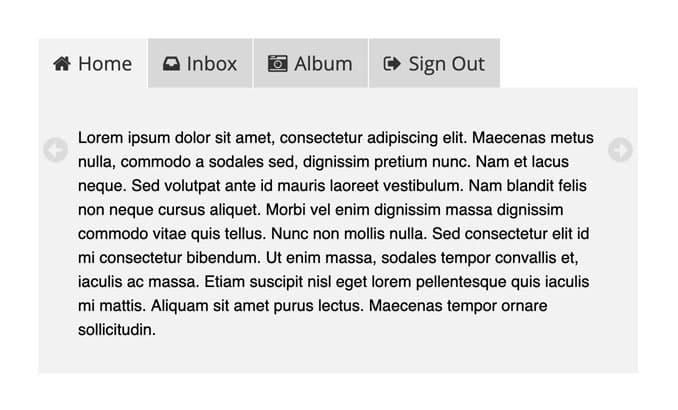
Coda-Slider Alternatives
- Colorlib maintains a short list of the best free jQuery sliders
- Or choose from these 90+ premium jQuery sliders
That’s it.
Happy sliding 🕺
